Home > Library Blogs > Library News

Monday, March 18, 2013

Looking for journal articles? Try Articles-Express!

Unitec Library subscribes to thousands of high quality eJournals which contain useful articles for your assignments and research. Our new Articles-Express search tool makes it easy to access those articles. Articles-Express delivers search results VERY FAST and there is no need to login to do the search.

Search for and access articles  in 4 easy steps:

  1. Select the Articles-Express search option
  2. Enter your search terms eg "black and white ruffed lemurs"
  3. Click search - and a list of relevant articles will display instantly
  4. To access the full-text of an article just click on the title of the article (if you are off campus or using a mobile device you may be prompted to login with your Unitec login at this point).

Coverage


Articles-Express coverage includes these publishers and collections. You can use Articles-Express to search over 150 million articles, many available as full text. However, for commercial reasons Articles-Express does not include all the journals that we subscribe to especially some of the ones published in New Zealand. If you can't find what you're looking for try these other search options:

Note about name


We have named this search tool "Articles-Express" but the supplier (Ex Libris) calls it the "Primo Central Index". Many academic libraries around the world use this tool but often call it different names. See more information from Ex Libris about the Primo Central Index.

Feedback

We are still fine-tuning the configuration of Articles-Express so please contact our systems admin team if you spot any bugs, or leave a comment below.

Friday, March 15, 2013

SFX system issues

On Friday 15/3/13 we were experiencing a problem with our SFX system which enables access to the full-text of journal articles via LibrarySearch, multi-search and Google Scholar. You may have encountered an error message like the one below:


SFX also enables our "Find eJournals A-Z" listing so that was also unavailable. We escalated this problem to our supplier who fixed the problem on Saturday morning - they are now investigating what the cause of the problem was so we can prevent it happening again. We apologise for the inconvenience.

If this problem happens again please contact us, and see other ways to access articles below. 

WORKAROUNDS IF THIS PROBLEM HAPPENS AGAIN

Some other ways to access ejournal articles are as follows:
  • Try searching the databases directly (e.g. Ebsco, Science Direct) via the Databases A-Z
  • Try Google Scholar as some scholarly articles are free to access from other places
  • See our subject guides for direct links to the ejournal databases without having to go via multi-search or LibrarySearch

Tuesday, March 12, 2013

Our website homepage gets a revamp

Check out the new-look library page launched at the beginning of 2013.

We have made the links for About Us, Contact Us, Find Us, and  Hours clearer under the page header banner.

The main areas of the library website have been organised into four areas
  • Search - the main areas for looking for library resources
  • Help and how to - to allow easy access to pages explaining how the Unitec Library works
  • Referencing and Citing - quick access to the important tools for keeping track of your research
  • Services to - the ways in which the Library helps the sections of the Unitec community.

The News highlights information important to our users.

The other sections of the page will be used to promote other topics and/resources that may be of interest to students at different times of the year.

These changes were made in response to user feedback to our 2012 website survey that the site homepage design was a bit cluttered and the navigation needed some improvement. The changes were tested with students before going live. Some functionality enhancements were also requested and these are being implemented in stages this year.

We hope you like the new layout and welcome your further feedback.


Group Study Room Bookings


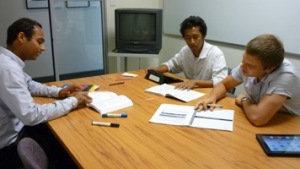
Group study roomYou can now view current bookings for group study rooms online. However you must still contact the library to make a booking - contact us in person at the library, or by email, or phone (09) 815 4185.

There are 7 group study rooms located at the Main Library on the Mt Albert Campus. Room 1 at the Main Library has a wall-mounted monitor. Some of the study rooms have whiteboards and video/DVD players. Whiteboard markers are also available from the main service desk. At the Waitakere Library on Level 3, there is one group study room.


More about using the study rooms.

Monday, March 11, 2013

Unitec libraries and SCC close early on Sat 16 March

On Saturday 16 March, the Unitec main library, Building 1 library and the Student Computer Centre will be open from 9:00 am to 1:00 pm.  The Waitakere Library will be open from 10:00 am to 4:00 pm, as usual.

The Mt Albert campus is host to Sounds in the Sun, the country's biggest orientation event on that day.


Thursday, January 17, 2013

Start strong in 2013

Learn essential library, information, technical and study skills to help you succeed at Unitec:

Monday, January 14, 2013

Library system outages this week

In order to upgrade our Voyager Library system we have planned outages on Thursday to Saturday this week as follows:
  • 17 January - from 5am onwards
  • 18 January – all day
  • 19 January – possibly all day
During these outages you will not be able to:
  • Access your library account online, including logging in to renew & request items
  • Search databases using LibrarySearch or Multi-Search.
Also the real-time availability information normally found under the LibrarySearch locations link will not be available.

However you will still be able to:
 We apologise for any inconvenience these outages may cause.